Forward it to plans@withdayscape.com
Dayscape is an iPhone trip planner, and you already know how to use it. Forward a booking, and it lands on your trip with the right times.
Free to start. Your first trip includes everything.

What happens
Four things happen after you press send
You forward it
Send the confirmation to plans@withdayscape.com from an address you’ve verified in the app. Nothing else needs setting up.
It reads the booking
It pulls out times, places and references. Zones and dates are worked out in code, against the place you’re going.
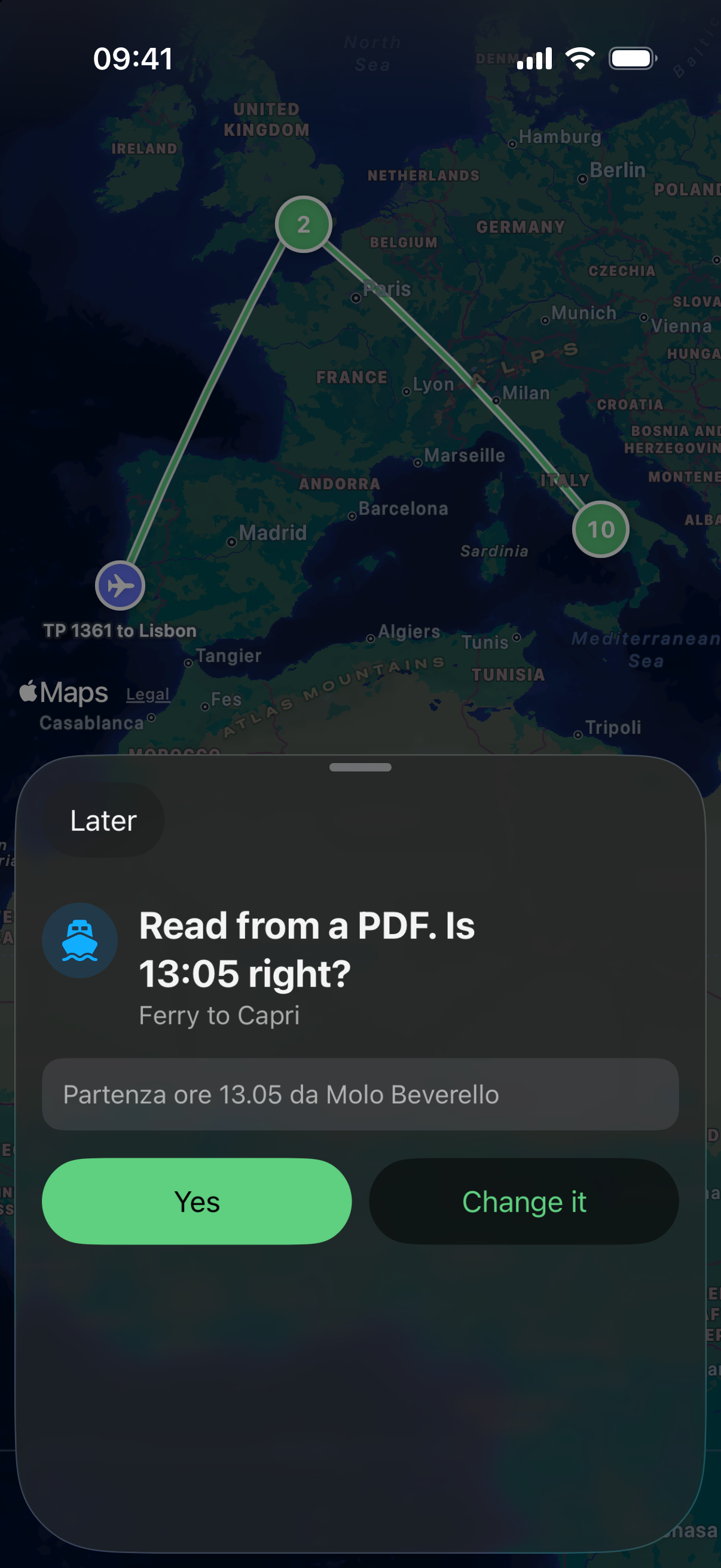
It asks if it’s unsure
Any field it can’t be sure of becomes one question, with the source line beside it. You answer Yes, or Change it.
It lands on a trip
It’s filed on the trip it belongs to, or starts a new one. If it could go either way, you choose.
Golfo Ferries
Thanks for booking. Please show this confirmation at the port.
- Departs
- Sun 11 Jul, 11:40
- From
- Molo Beverello, Naples
- To
- Marina Grande, Capri
- Passengers
- 2 adults

What it reads
It reads nine kinds of booking
It reads your booking emails, PDFs and screenshots, and asks when it’s unsure. If you find one it can’t read, it says so and your trip stays as it was.
Booking types
- Flights
- Hotels and other stays
- Trains
- Ferries
- Buses
- Hire cars
- Restaurants
- Activities
- Events
Formats
- Forwarded emails
- PDFs attached to an email
- PDFs and screenshots through the iPhone share sheet
- Files you import in the app
When it’s unsure
An unsure answer becomes one question
Better to ask you once than be confidently wrong about a train. The question shows the value it read and where it read it.
When it fails
You hear within minutes, and nothing changes
You get an email and a row in Imports. It says which booking, that your trip is untouched, and what to try next.
Your trip hasn’t changed.
What to try:
- Forward it again
- Send the PDF
- Add it by hand in the app
Changes and duplicates
Forward the change, and the trip updates in place
When the ferry company moves you, forward that email too. The item updates and tells you: “Moved from 11:40 to 13:05.” Forward the same booking twice, and the second does nothing.
Your email
Your email doesn’t stay here
We see what you forward and nothing else. Emails are deleted once they’re read and settled, or at 30 days. A PDF ticket you forwarded stays with its booking until you delete it.
Your next booking could be the first
Leave your email, and we’ll send one message when Dayscape is ready to download.
Free to start. Your first trip includes everything.